
How to provide option to choose color in swatch on product page?
Scenario
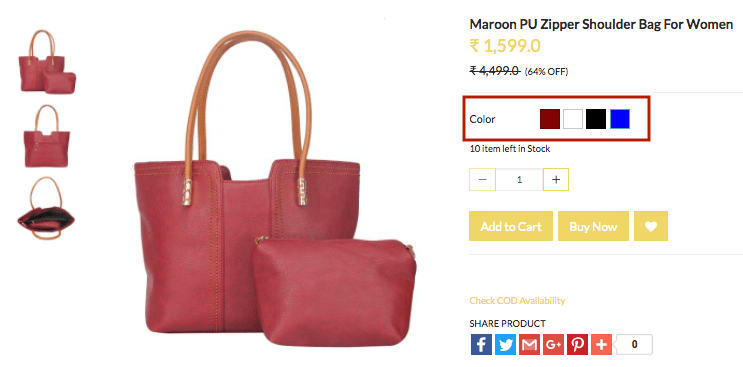
You want to create variants of a shoulder for women to provide various choices in
Example
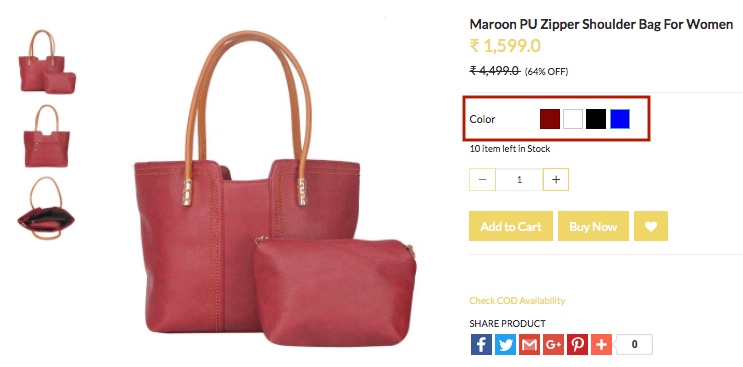
Steps
Create option and variants
Please follow these steps to create
Creating Option Sets
- Go to Products > Option Sets section in StoreHippo Admin Panel.
- Click on Add New.
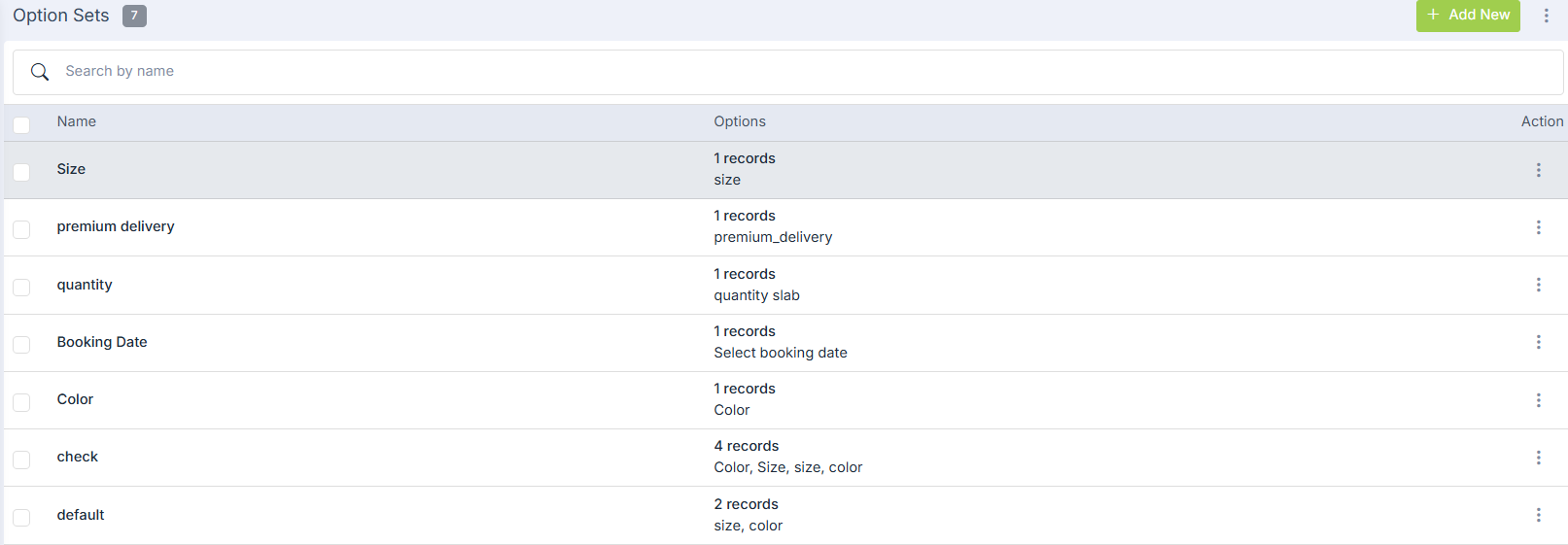
- Provide the Name as 'My Option set' and click on Add Options to add options.

- Enter Name as 'Color' and Display name as 'Color'.
- Select Type as 'Swatch' from the drop-down.
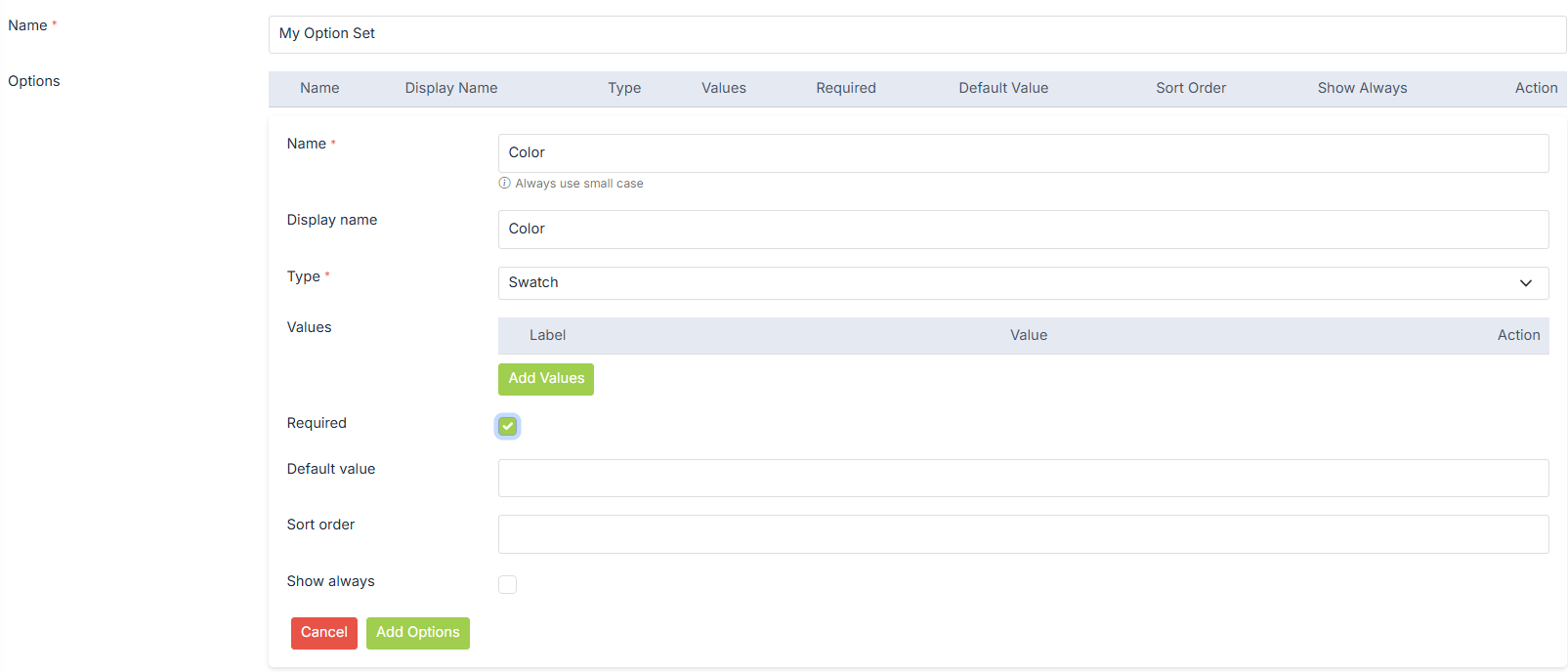
- Click on Submit to save the
option set.
Creating Options
- Go to Products > Products section in the admin panel. In the add/edit products form, select the Options & Variants tab.
- Choose the Option Set 'My Option set' from the drop-down.
- Add Options as 'Color' and Values as 'Red','White','Black',and 'Blue'.

Creating Variants
- Now click on Automatically Generate Variants to create the variants of the product automatically. You can also opt to add variants manually.
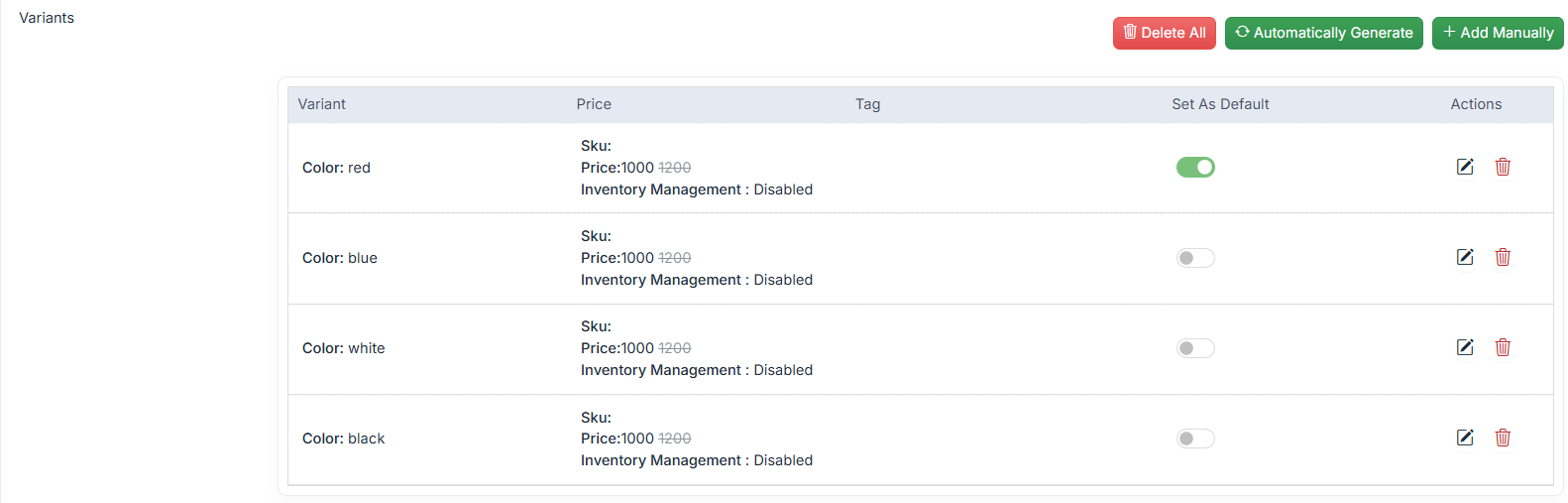
- Now, click onSubmit to save all the details.

- To view the product on the Storefront, click View Product.
Was this page helpful?