
How to provide option to choose delivery date on product page?
Scenario
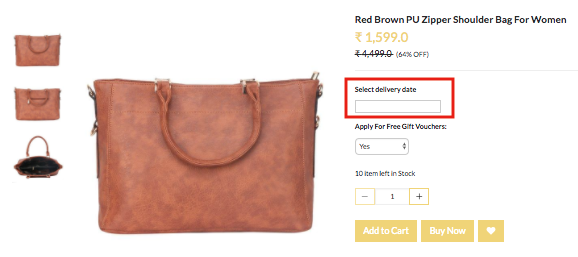
You want to provide an option to choose the delivery date to your customers. You need to display a calendar from which the customers can choose the date.
Example
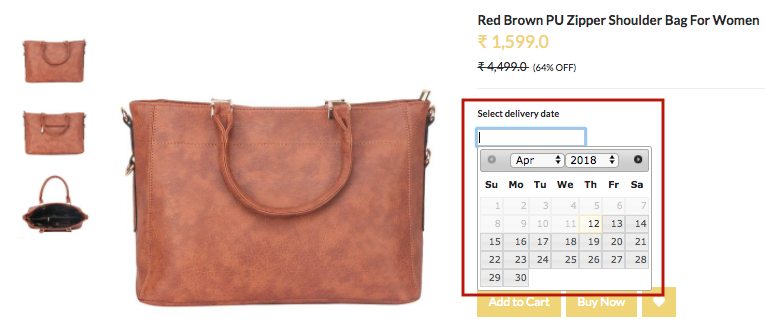
Steps
Create option and variants
Please follow these steps to create an option and variants for the product:
Creating Option Sets
- Go to Products > Option Sets section in StoreHippo Admin Panel.
- Click on Add New.
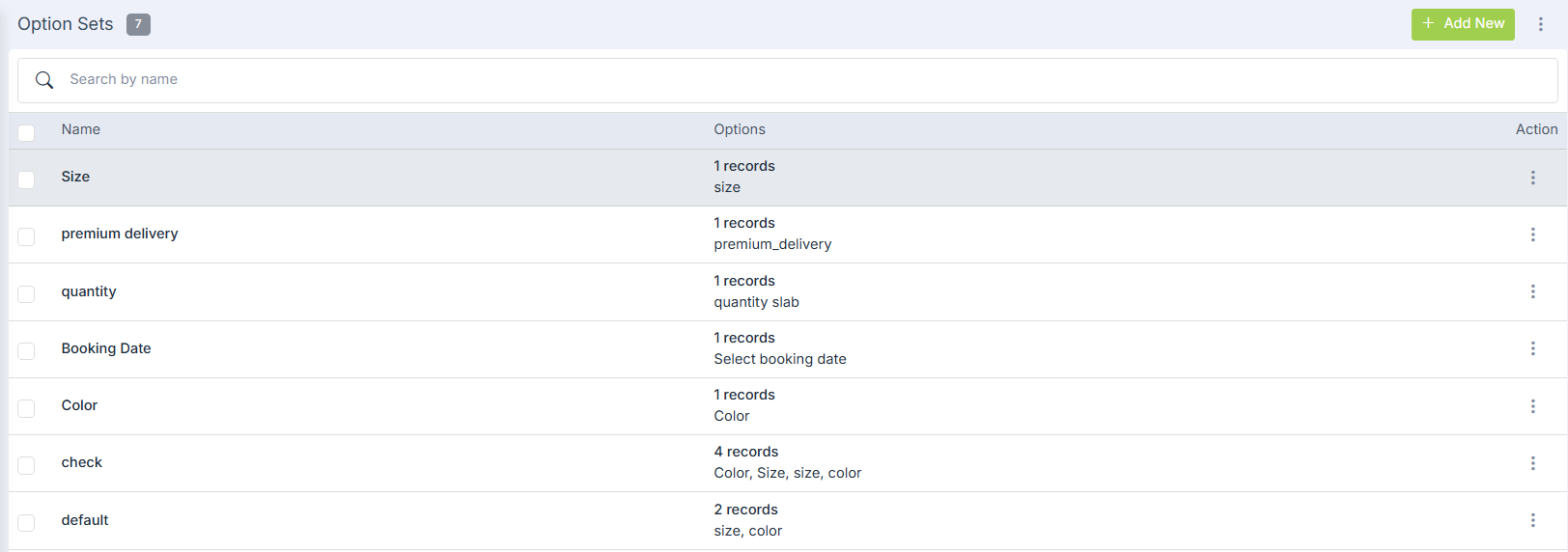
- Provide the name as 'My Options'. Click on Add Options to add option.

- In the new appeared form, enter Name and Display name as 'Select Delivery Date'.
- Select type as 'Date'.
- Select the checkbox to always show the option on the product page.
- Click on 'Insert Option'.
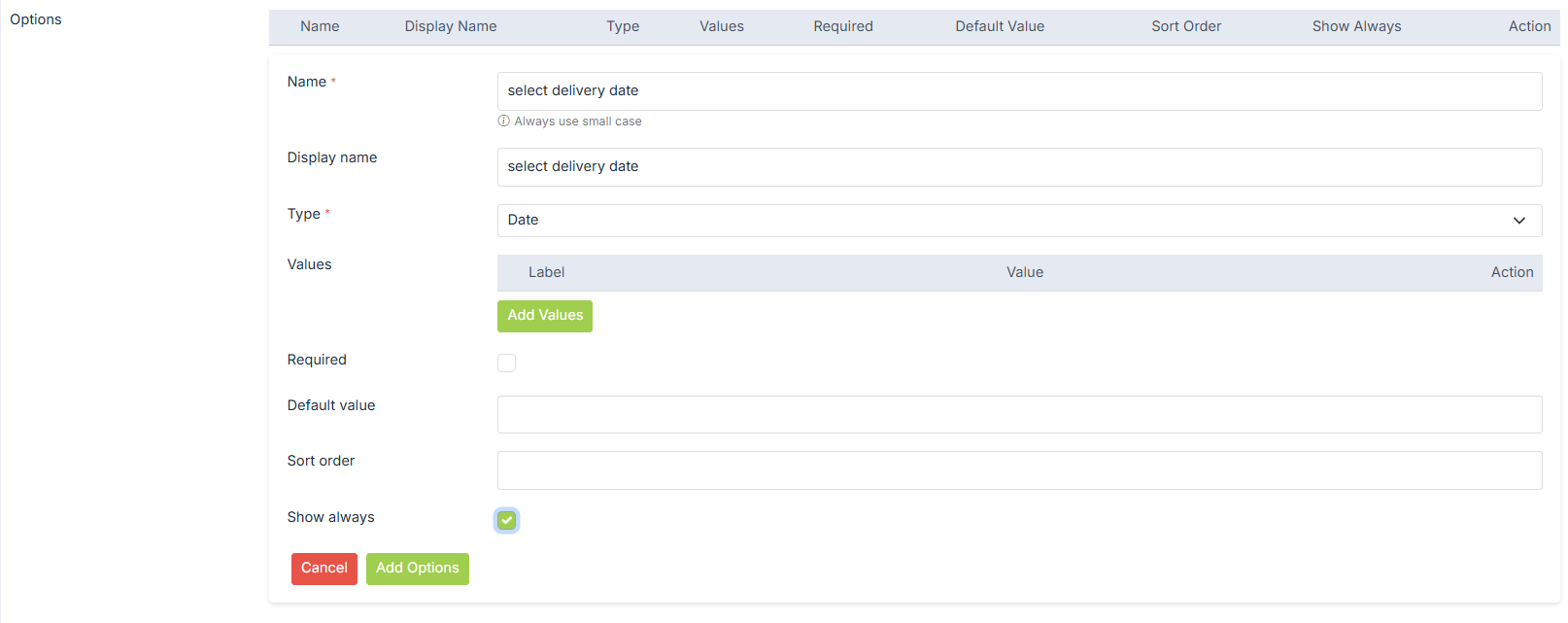
- Click on Submit to the option set.

Creating Options
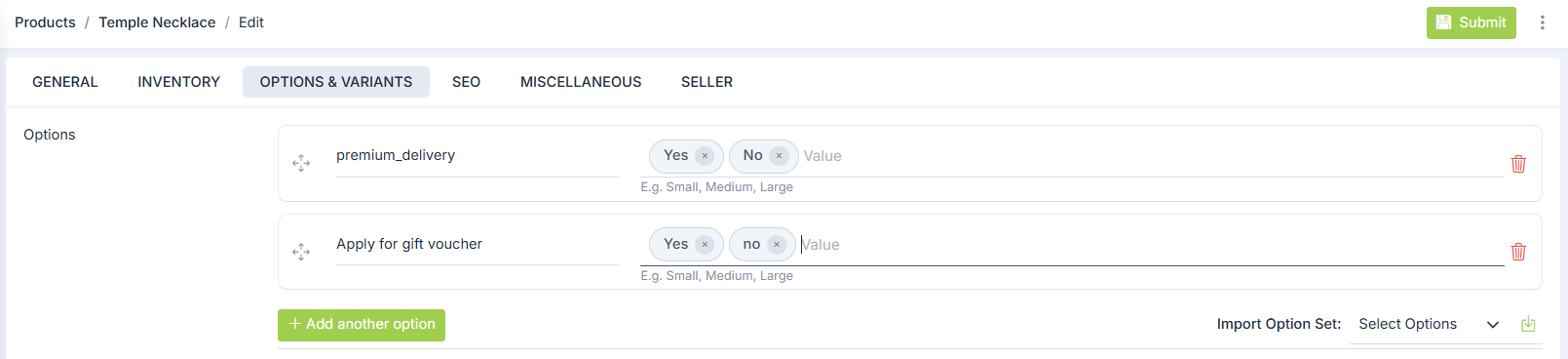
- Go to Products > Products section in the admin panel. In the add/edit products form, select the Options & Variants tab.
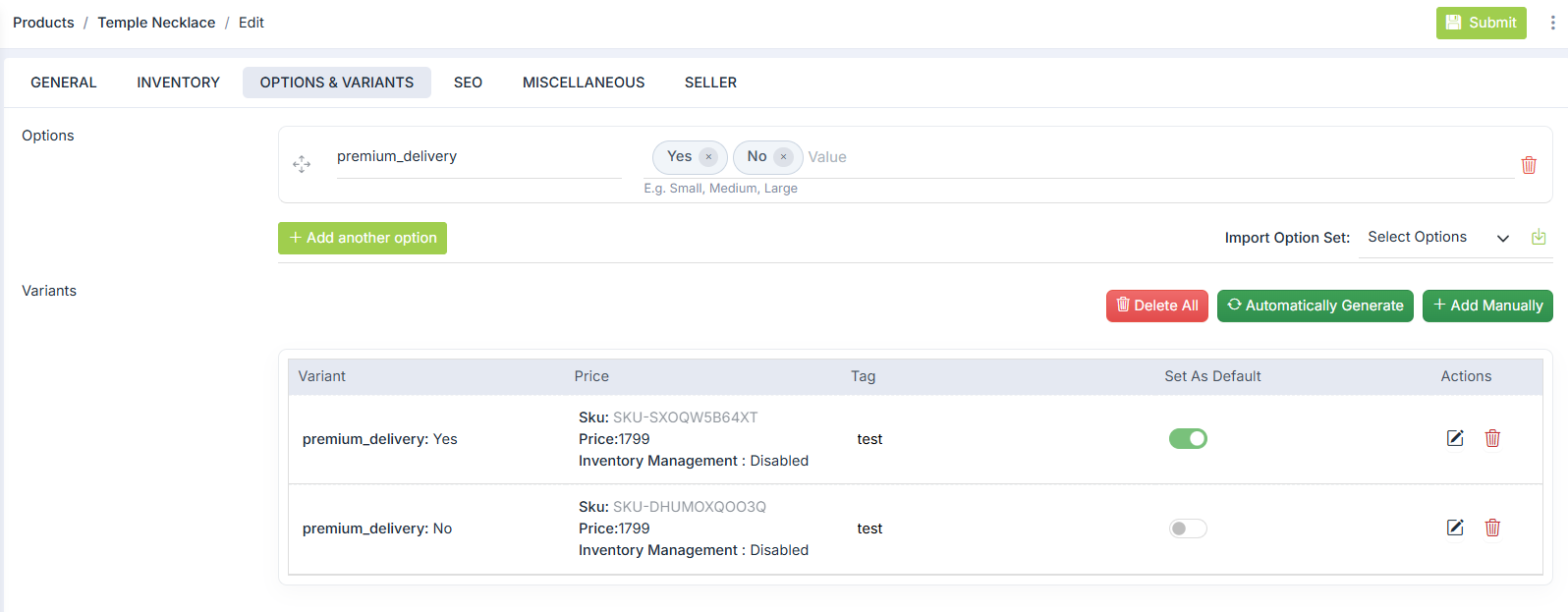
- Choose the Option Set from the drop-down. You can import the selected option set or add your own set of options.

- Let's add one more option for this product. Enter the name as "Apply for free gift vouchers" and its values as 'Yes' and 'No'.
Creating Variants
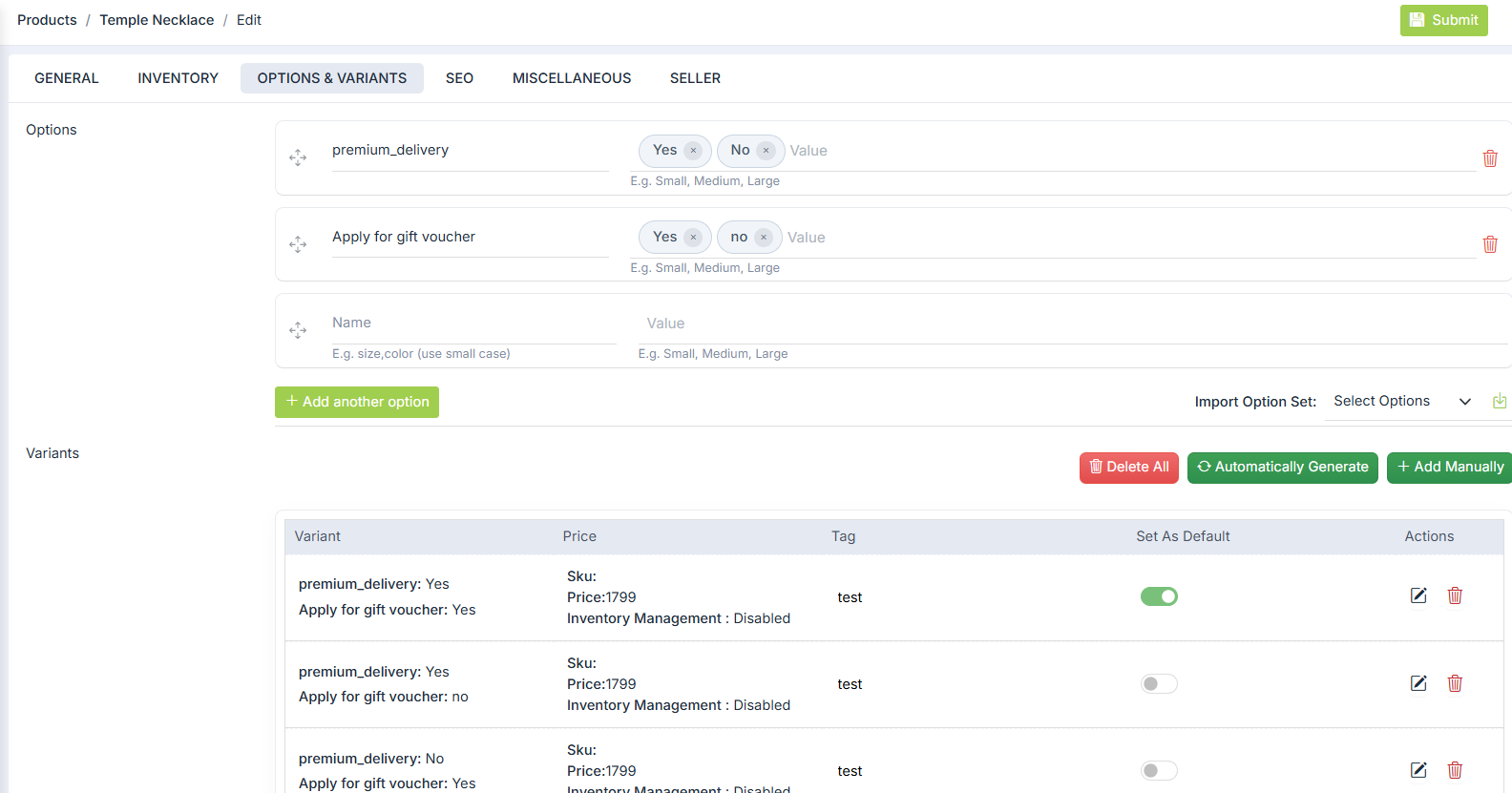
- Now click on Automatically Generate Variants to create the variants of the product automatically. You can also opt to add variants manually.
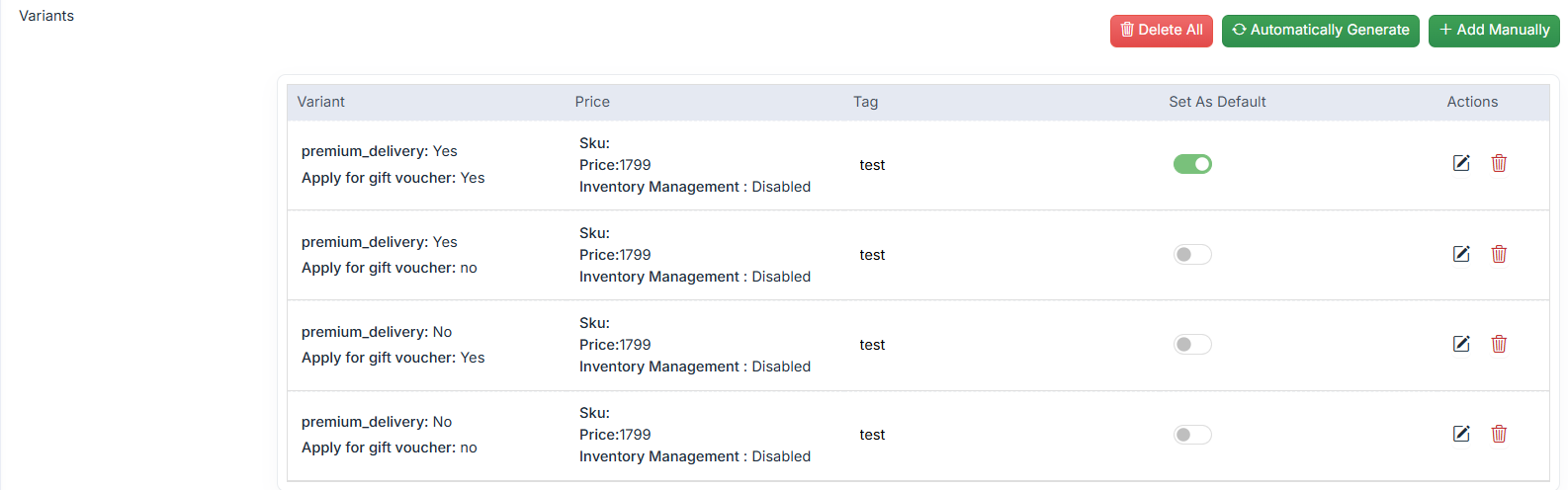
- Now, click on Submit to save all the details.
- To view the product on the storefront, click on the View Product. Your product appears as shown below:
Was this page helpful?