
Shiping methods
StoreHippo allows you to define shipping charges for the orders placed in your store. You can set shipping charges on different conditions like order total, order weights, different countries and products, etc.
You can manage Shipping Methods in Settings > Shipping Methods section of StoreHippo Admin Panel.
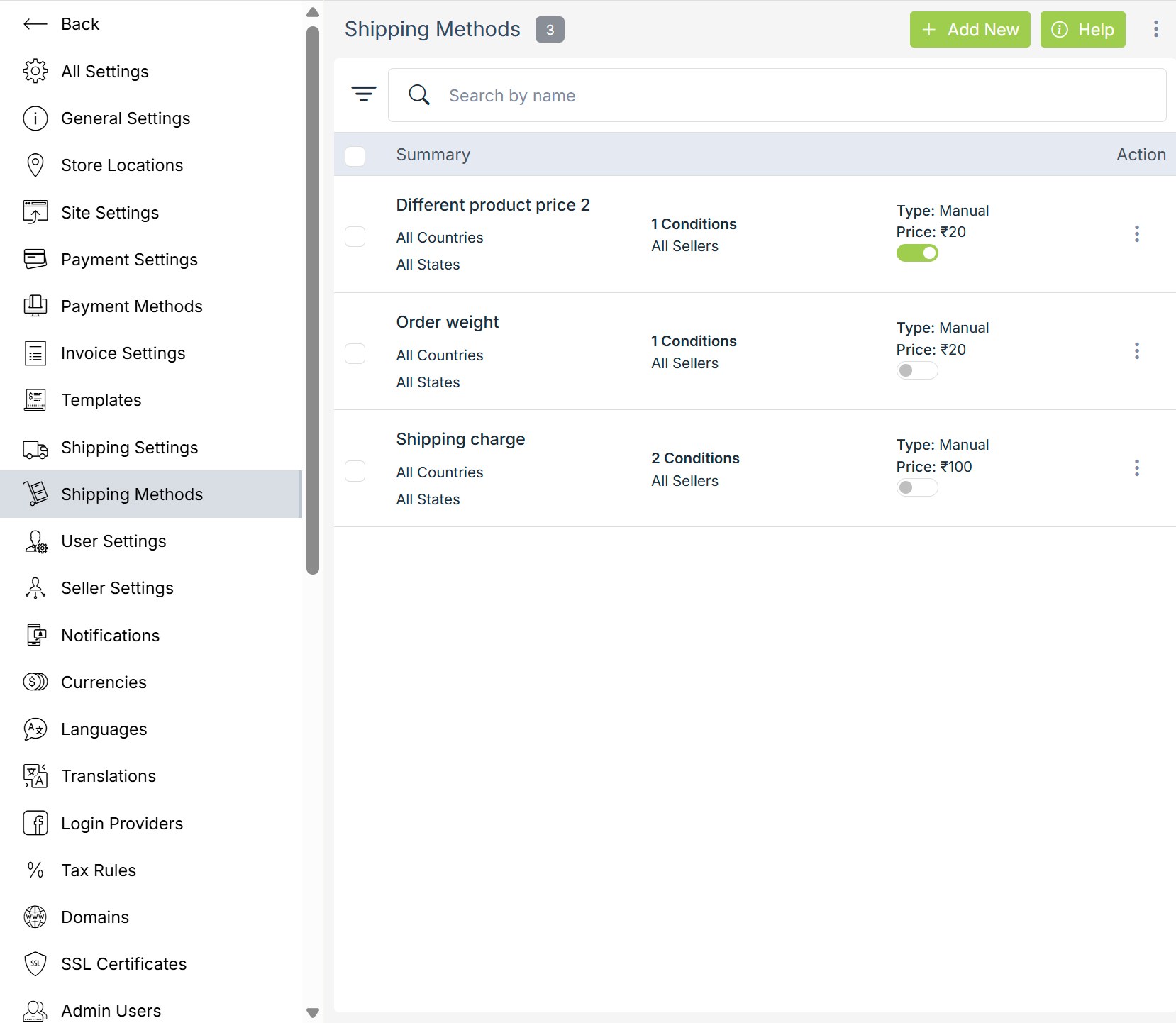
Adding a Shipping Method
To add a new shipping method, click on the Add New button in the top right corner. Clicking on the button will open a form with following fields:
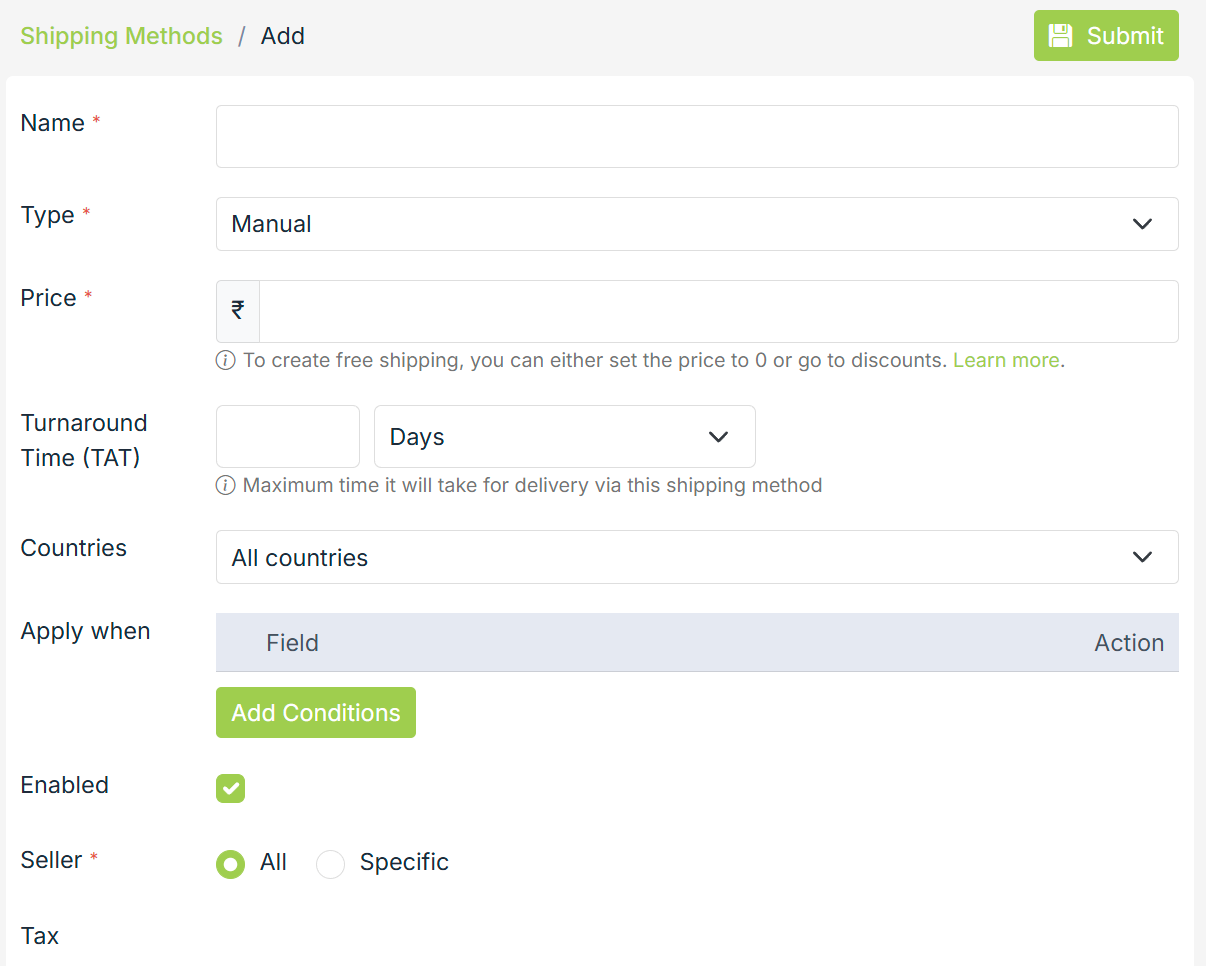
Name
Enter the name of the shipping method.
Type
Shipping methods are 3 types which are used to define and calculate the shipping charge/price. The most common and default shipping type is manual. In the case of a manual shipping method type, you need to define the shipping price under price field itself.
Price
The price field defines the final shipping price which will be applied to the order. The price field is mandatory in case of manual shipping method type.
Countries
StoreHippo allows you to create different shipping methods for different countries.
Possible values you can find under countries field are:
- All countries
- Rest of the world
- Specific countries
- Excluding countries
All countries
To define a shipping method for all the countries.
Rest of the world
To define a shipping method for a country/countries not specified in other shipping methods.
Specific countries
To define a shipping method for specific countries. In the case of specific countries, you can also define state-specific shipping charges by specifying any one country and then specifying the states.
Excluding countries
To define a shipping method for all countries except in some specific countries.
Apply when
By default, the shipping method is applied to all the orders. However, you can also choose to apply the shipping method when specific conditions are met. If you choose to define conditions then the price defined under the shipping method will be applied only when product/order meet all of the specified conditions.
Field
Possible conditions which can be added in a shipping method are:
- Order total
- Order weight
- Order quantity
- Every product price
- Any product price
- Every product category
- Any product category
- Every product collection
- Any product collection
- User group
- City
- Zip code
- Substore
- Metafields
Operator
The operator is the mandatory field to meet the above conditions. The operators are as follows:
- Equal
- Greater than
- Less than
Values
The values for the conditions are provided here.
Enabled
It defines whether the shipping method is enabled or not.
Seller
By default, a shipping method is applicable for all the sellers but in the case of Multi-Seller Marketplace, you can define shipping methods for specific sellers as well.
Tax
You can also define a tax to be included/excluded with the shipping charge by selecting a tax from a number of available taxes in your store.
Example
How to set different shipping costs for different states?
How to set different shipping costs for different countries?
How to set different shipping costs on different order weights?
How to set different shipping costs on different product prices?