
Abandoned Checkouts
StoreHippo provides the functionality of abandoned checkouts, which allow you to bring back the potential customers who leave without completing the order.
Not everybody who adds something to a cart makes it all the way through to purchase a product. When a potential customer provides their contact information but doesn't complete the order, we store that as an abandoned checkout. Abandoned checkouts refer to a cart in which items and other details like email and shipping address have been added, but the user exits without completing the purchase.
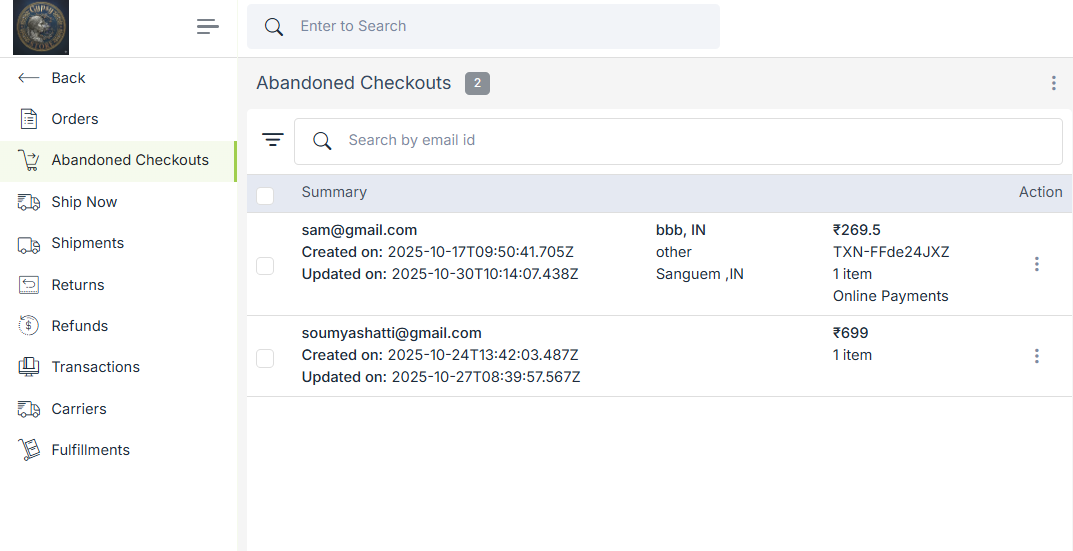
To manage Abandoned checkouts, go to Orders >Abandoned Checkouts section in StoreHippo Admin Panel.
Export
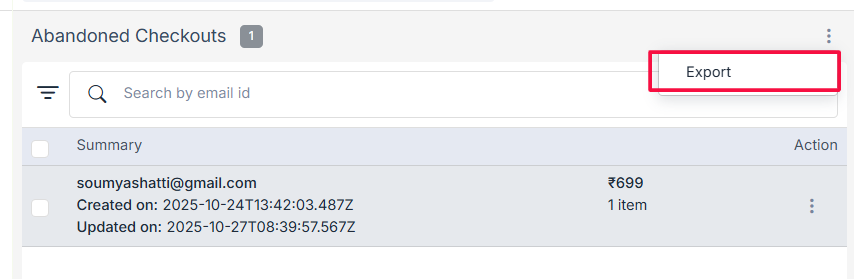
You can export the details of abandoned checkouts in a CSV file via email. Click on the ellipsis at the top right corner.
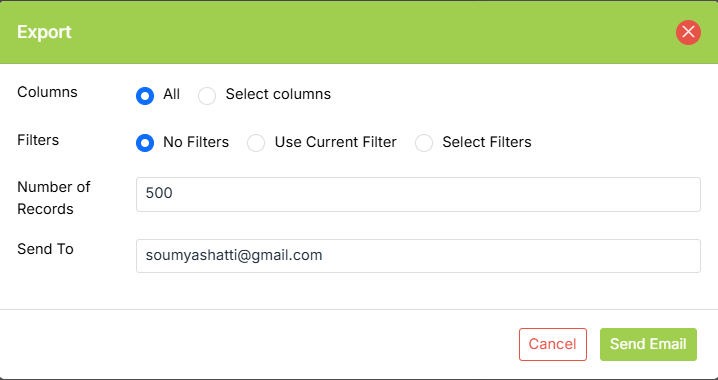
Enter the email to which you want it exported & also apply custom filters to choose the exact records you want.
Operations on Abandoned Checkouts
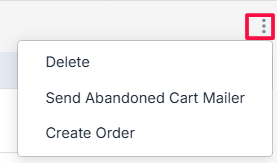
We can perform the operations on abandoned checkouts by clicking on the ellipsis button and choosing the desired option from the drop-down menu. The options are as follows:
Delete
Using the delete option, you can delete the specific abandoned checkout if its no longer required.
Send abandoned cart mailer
You can send the mailer to the customers who have not completed the checkout process to notify them about their abandoned cart. This helps to bring them back where they left and complete their order. The abandoned cart mailer can be sent in two ways:
- Automatically: You can send automatic mailers to the customers who have left their cart abandoned without checkout. Automatically abandoned cart mailers can be enabled in the MISC section.
- Manually: You can send the mailer from the Abandoned Checkout section by clicking on the send abandoned cart mailer from the drop-down menu.
Create order
You can create orders for your abandoned carts in this section. Click on the Create Order option from the drop-down Clicking on this option will open a tab for duplicate an order. You can edit the details there and create an order.