
Reports
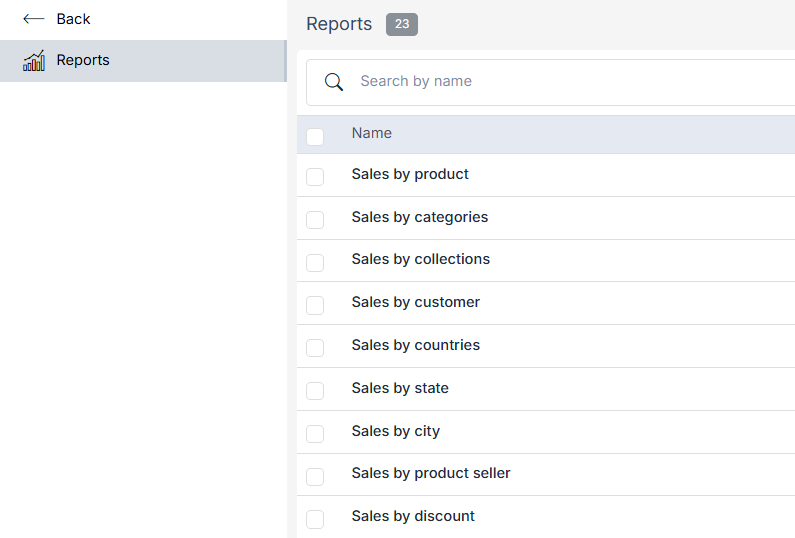
Reports are the representation of information of your store in the form of tables and graphs. Reports give you a glance at the statistics of your store. In StoreHippo, the Reports section provides the overview of the data of your store which includes the recent orders, top customers, order summary, best selling product, monthly revenue, etc.
Go to the Reports section in the StoreHippo Admin Panel to access the reports section.
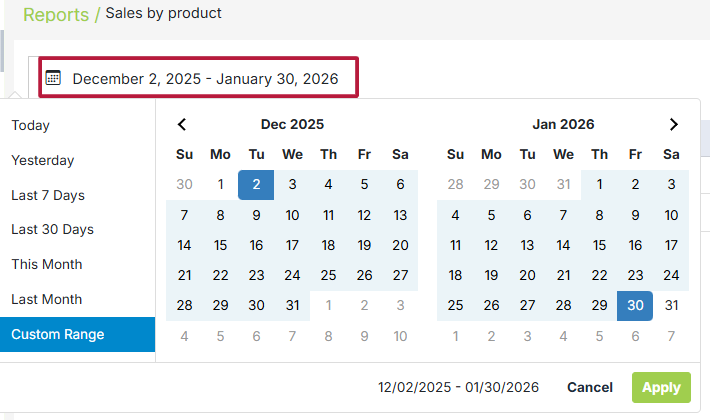
The Date Range Selector in the Reports section allows you to filter report data for a specific time period. This helps analyze sales, orders, and product performance within the selected duration.
-
Today: Shows data for the current day.
-
Yesterday: Displays the previous day’s data.
-
Last 7 Days: Includes data from the past week.
-
Last 30 Days: Displays the last 30 days of activity.
-
This Month: Covers data from the start of the current month to today.
-
Last Month: Shows the complete previous month’s data.
-
Custom Range: Lets you manually select start and end dates using the calendar. You can check only 2 months' reports.