
Orders
Order management is an important part of your store. This section lets you manage your orders, process the shipment, and manage returns and refunds. You can perform various operations on orders in the
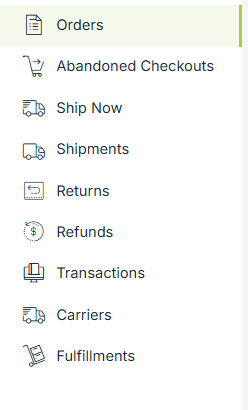
The Order section has the following sub-sections:
Managing Orders
The Orders section lists all the orders received in your store. You can view order details, add new orders manually and perform various operations on orders.
Abandoned Checkouts
The abandoned checkouts contain orders which are not completed by customers. You can manage the abandoned orders and send abandoned cart mailers to the customers.
Ship Now
The ship now section lets you ship an order in a few easy steps. In this section, you provide the shipping details, select a service, and schedule the pickup.
Shipments
The shipment section allows you to manage a shipment when a pickup is arranged for an order. You can view the details of the shipment in this section.
Returns
The return section allows you to manage your returns. An order is eligible for a return only if it is closed.
Refunds
The refunds section allows you to manage your refunds. An order is eligible for a refund only if it is either canceled or returned.
Transactions
A transaction record is created when any user initializes the payment. Whether the payment is successful, gets failed, or remains pending, the transactions record will be created.
Carriers
In the carriers section you can manage your shipping partners here. You can add, edit, or select carriers used for order deliveries.
Fulfillments
The fulfillment section tracks how and when orders are fulfilled. This helps ensure orders are packed, shipped, and delivered correctly.