
Refunds
A refund is a record of the money returned to the customer for the items (all or some) on an order which may or may not have been restocked.
You can refund an order through Orders and Refunds section. An order is eligible for a refund only if it is either cancelled or returned. In the case of the return, you need to specify the RMA you want to refund.
You can manage refunds from your from the Orders > Refunds section in StoreHippo Admin Panel. Only Cancelled orders can be refunded.
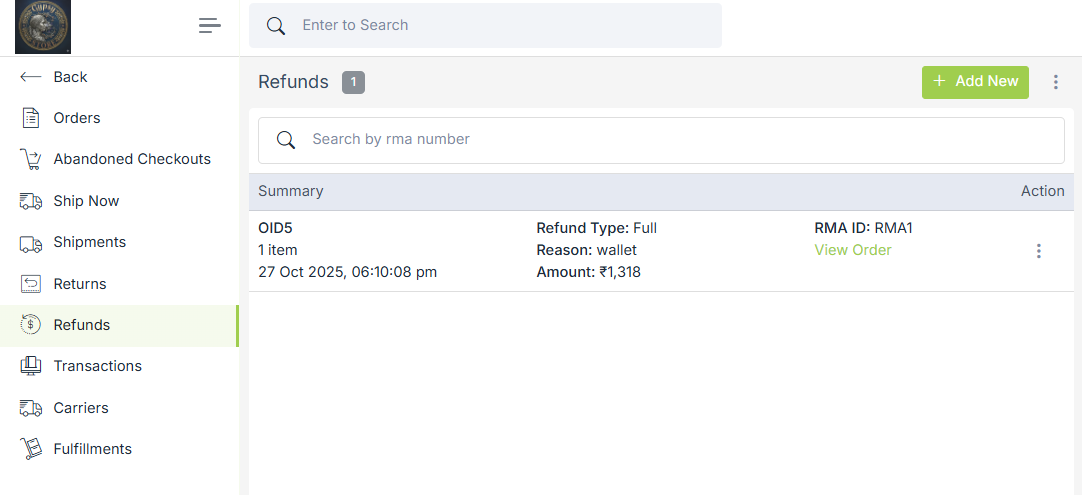
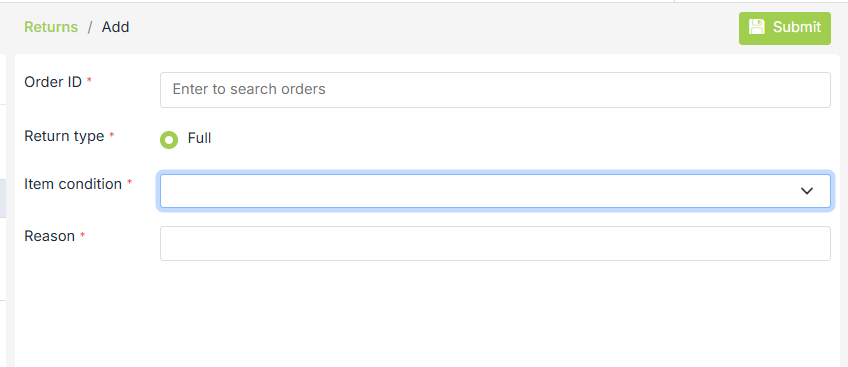
You can also initiale refund from the reurn section. Click on ellipsis in returned section.
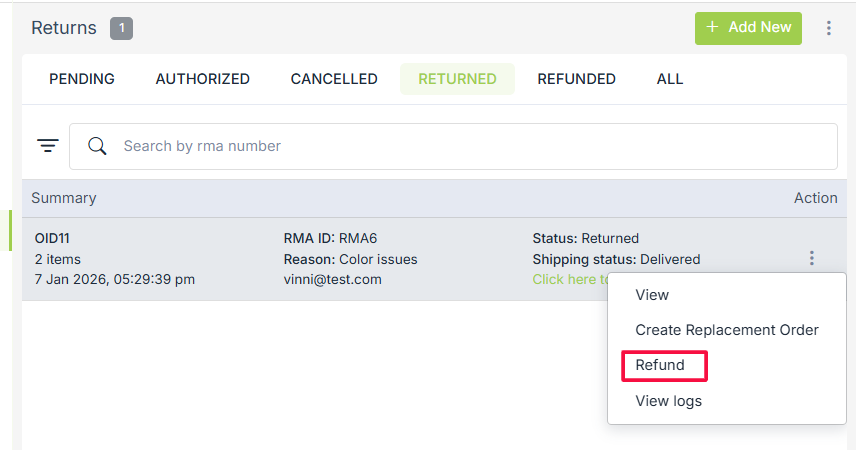 Fill all the fields to initiate a refund.
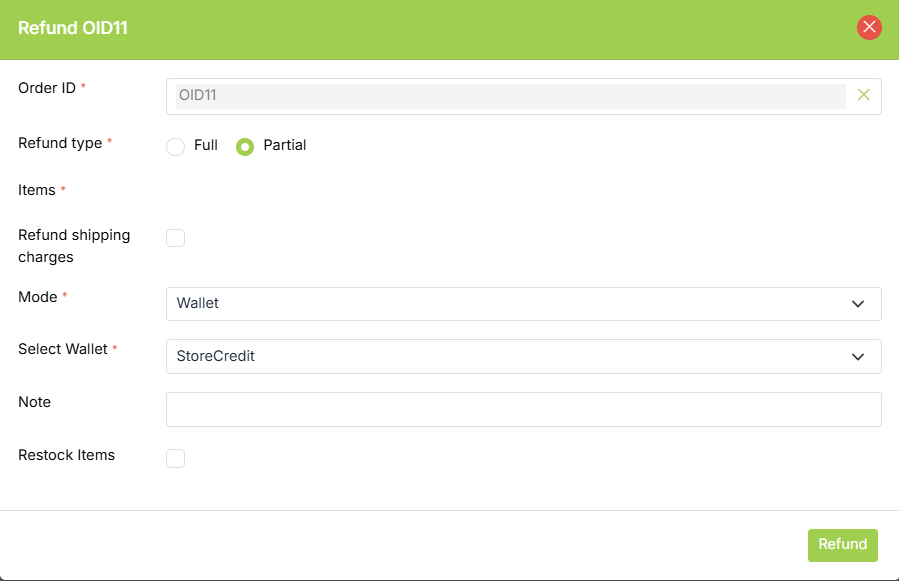
Order ID
Select the order ID of the order that you want to refund from the dropdown.
Refund Type
There are two types of refunds:
- Full Refund: The full refund type means that the order which was shipped to the customer is fully refunded.
- Partial Refund: The partial refund type means that the order which was shipped to the customer is refunded partially.
Items
When you select the "Partial" option as the Refund Type, the Items section appears. Here, you can specify the item(s) of an order for which you are making a refund.
Mode
Select the mode for refund. The options can be as follows:
- Wallets: It gives us a list of the available wallets to choose so that the refunded amount is added to the wallet. There will be two options for selecting wallets - StoreCredit and Loyalty wallets. If no wallet is available in your store, a default wallet named 'StoreCredit' is available.
In the case of orders created by the admin from the admin panel via add/duplicate order, there might be some problem in the refund process because it does not have a provision to add wallets yet. - Payment Gateway: You can process the refund using the payment gateway through which the payment of that order has been done. This option is visible if all of the following conditions are true:
-
- Payment is not done through wallets.
- The order is not split.
- Shipping charges are applied to the order, and you want to refund them (by checking the 'Refund Shipping Charges' checkbox), or shipping charges are 0 and you are refunding the full order.
-
- Other: In some cases, the user can give his bank details or tell some other way in which he wants to refund. Once you have processed the refund, you can mark the order as refunded through the 'Other' mode. If the Other mode is selected, then you need to specify the other mode in the Enter Other Mode field.
Note
Enter the reason for processing the refund.
Restock
Select the Restock Items check box, in case you want to update the inventory.
Additional charges and taxes will only be refunded if the refund process is initiated via the payment gateway and cannot be refunded partially for now.
After a successful refund, an email is sent to the customer, seller, and admin. All the details about refunds are saved in a separate 'Refunds' section in the admin panel.
Supported Payment Gateways
We have integrated some payment gateways with our platform that support the Refund API. They are listed below:
-
-
-
- PayU
- Paytm
- PayPal
- Ebs
- Atom
- Stripe
- Instamojo
- Paypal Adaptive (Also supports partial refund)
-
-