
Blog Posts
Blog Posts are articles that are shown in reverse chronological order on the blogs pages.
You can manage all the blog posts in Site > Blog Posts section in your StoreHippo Admin Panel.
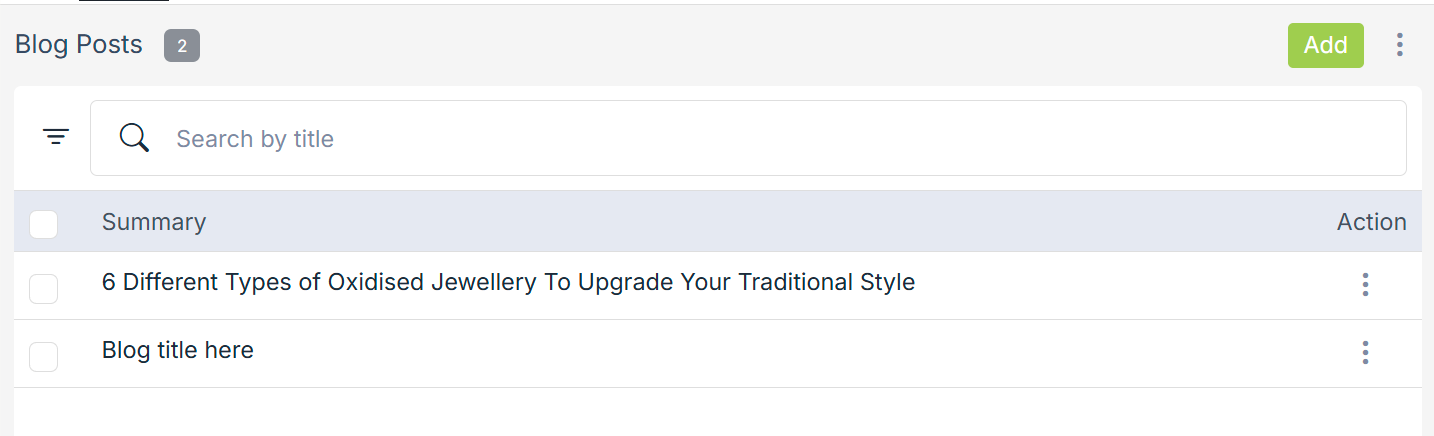
Adding a blog post
Blog posts are added to a blog. So make sure you have added the blog before you add a blog post.
To add a new blog post, click on the Add New button in the top right corner. Clicking on the button will open a form with following fields:
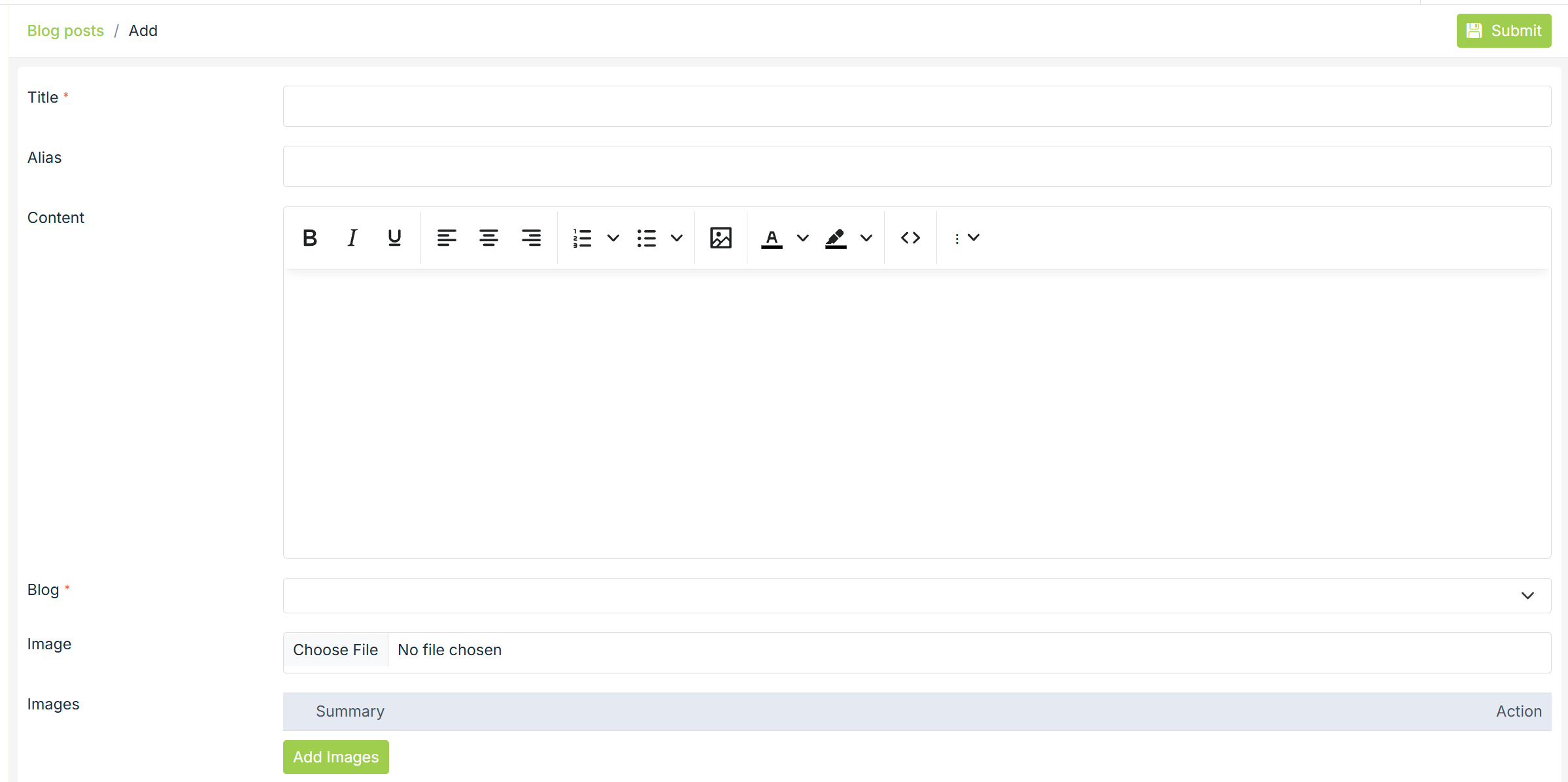
Title
Enter the title of the blog post that you want to be displayed to the customers.
Alias
Aliases are used to create unique URL for the blog on your Storefront. Aliases are created automatically but you can always modify it to create an SEO friendly URL for the blog post.
Content
Enter the content of the blog posts.
Image
Select the cover image for the blog post.
Author
Enter the name of the author for the blog post.
Date
Enter the posted date of the blog post.
Publish
Use the checkbox to publish or unpublish the blog post on the storefront.
SEO
StoreHipo allows you to provide custom information needed for effective SEO of your products. You can provide the SEO information in the SEO tab.
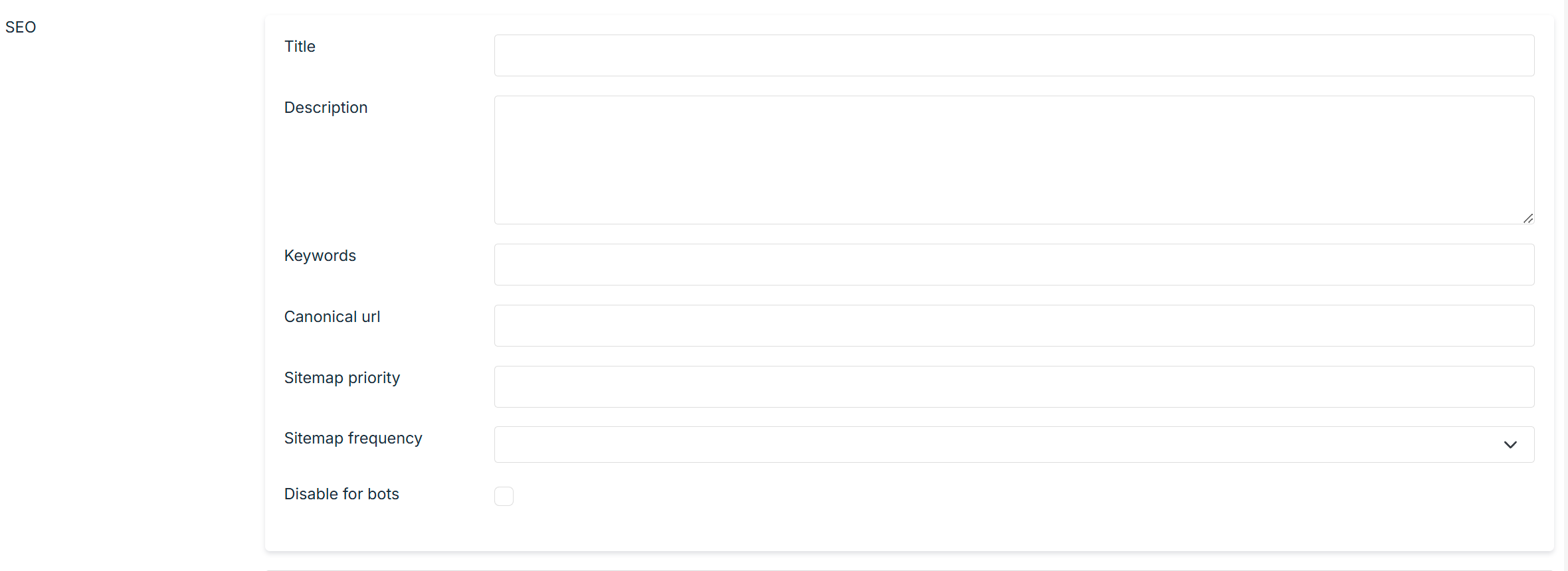
Title
Enter the title of the blog to specify a custom title for the
Description
Enter the description of the blog to specify a custom meta description for the product page for SEO.
Keywords
Enter the keywords to specify a custom meta keywords for the blog page for SEO.
Canonical URL
The canonical URL used to declare a single page as its own source or for duplicate pages to reference their source/originating page. This is an advanced SEO option and should be used carefully.
Sitemap Priority
Sitemap priority defines the priority of the particular page in your store, pages with higher priorities are crawled by Google more often. Provide the sitemap priority to the pages within a range of 0.0 to 1.0. The default priority used is 0.3.
Click on the