
Brand authorizations
The Brand Authorizations module allows you to manage and validate brand-related approvals submitted by sellers. This feature helps marketplaces ensure that sellers are authorized to list and sell products under specific brands, maintaining authenticity and compliance across the platform.
Accessing Brand Authorizations
You can find this feature in the StoreHippo Admin Panel under:
Products → Brand Authorizations. Once you open the module, you can add a new brand authorization request or review existing submissions.

Adding a New Brand Authorization
Click Add to open the Brand Authorization form. The following fields will be available:
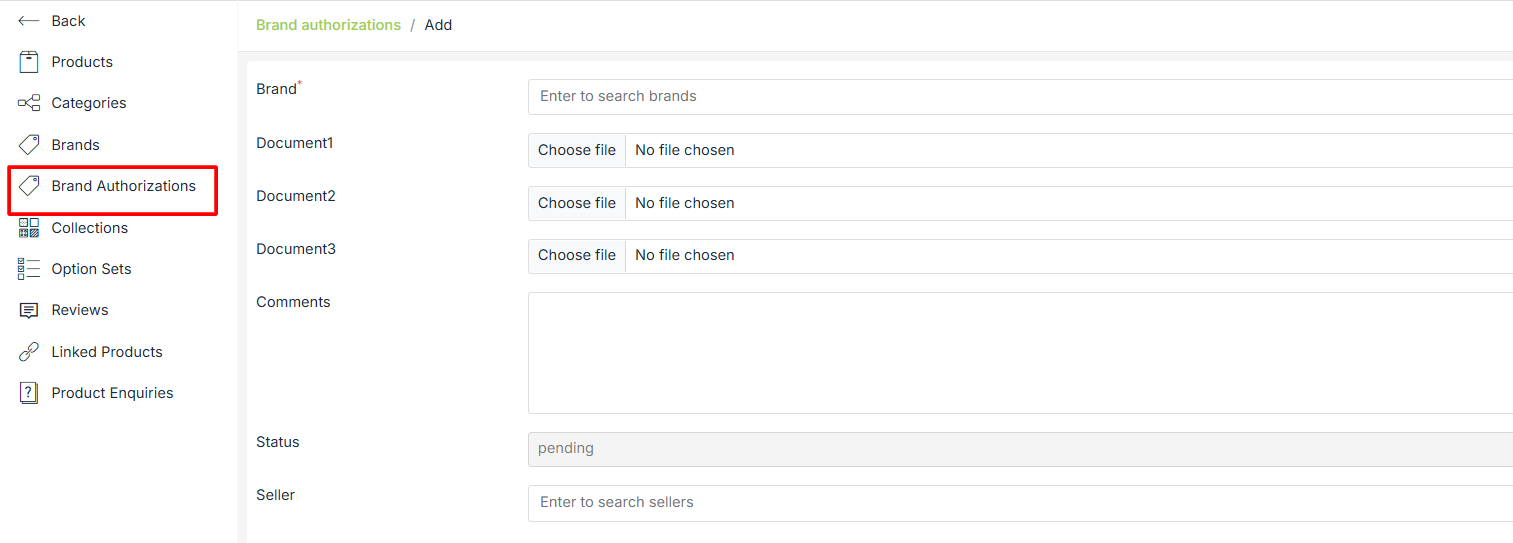
Brand
A mandatory field where you can search and select the brand for which the authorization is being submitted.
Document 1, Document 2, Document 3
Upload supporting documents provided by the seller. These may include:
-
Authorization letters
-
Brand certificates
-
Legal agreements
-
Any proof validating the seller's rights to sell the brand
Each document can be uploaded in standard file formats.
Comments
A text field for any additional information or notes related to the authorization request.
Example: “Authorization letter valid until December 2026.”
Status
Indicates the current stage of the authorization request. The default status is Pending.
Possible statuses may include:
-
Pending – Request is submitted and awaiting review
-
Approved – Brand authorization is verified
-
Rejected – Submitted documents are invalid or incomplete
5. Seller
Search and select the seller submitting the brand authorization. This ensures that the authorization is linked to the correct seller account.