Coupon codes
Video to be added
Marketing is an important aspect of your store. Offering coupon codes can be a key strategy for your online store.
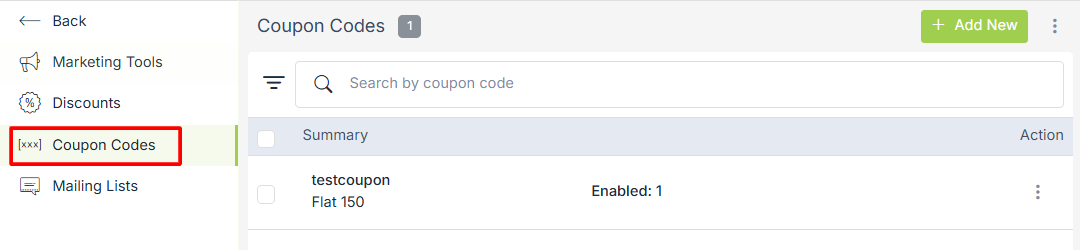
Go to Marketing > Coupon codes section in StoreHippo Admin Panel.
Adding a coupon code
To add a new coupon code, click on the Add New button in the top right corner. Clicking the button will open a form with the following fields:
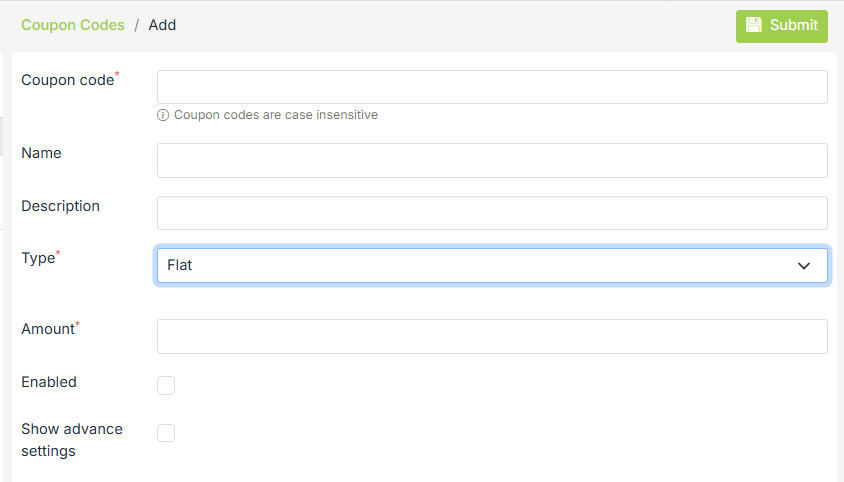
Coupon code
Enter the name of the coupon code.
Description
Enter the description of your coupon code.
Type
Provide the type of coupon code in this field. A coupon code can be specified to invoke a flat discount or a % discount.
Amount
Enter the amount of the coupon code. The amount is the value of the coupon code.
Enabled
It defines whether the coupon code is enabled or not. You can enable it by selecting the checkbox.
Advanced settings
In advanced settings, there are a number of fields to further configure the coupon code.
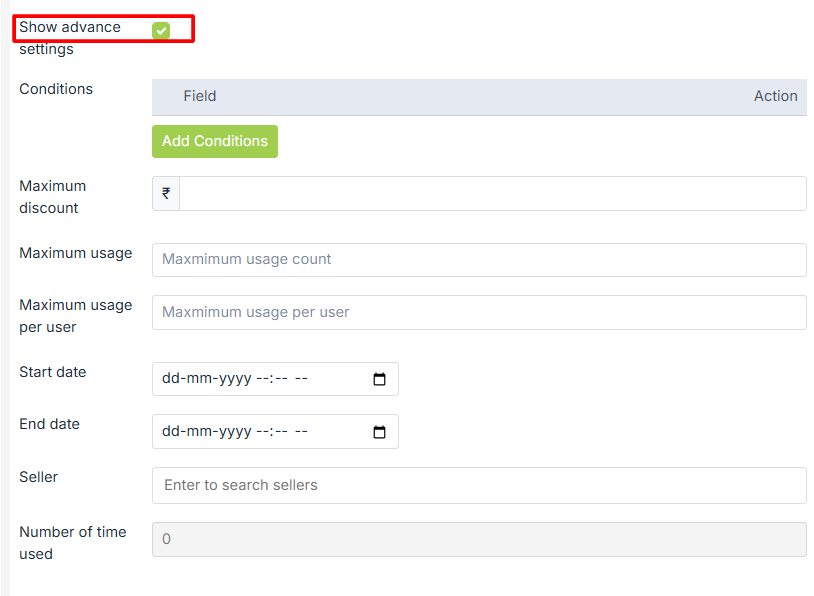
Conditions
Multiple conditions can be defined in a coupon code. Possible conditions which can be specified in coupon code:
-
Product name
-
Product quantity
-
Any Product categories
-
Product collections
-
Every Item Categories
- Every Item Collections
-
Order quantity
-
Order total
-
User group
-
Substore
-
Device
Maximum usage
It defines the allowed limit up to which the coupon code is applicable.
Maximum usage per user
It defines the allowed limit up to which the coupon code can be applied by a user.
Start Date/End Date
To define a time period for which the coupon code is applicable.
Seller
To define a coupon code for a specific seller only. The coupon code will be applicable only for the product of a
Number of time used
This field tells you how many times the coupon code has been used. It is a read-only field.
Importing / Exporting Coupon Codes
Importing coupon codes
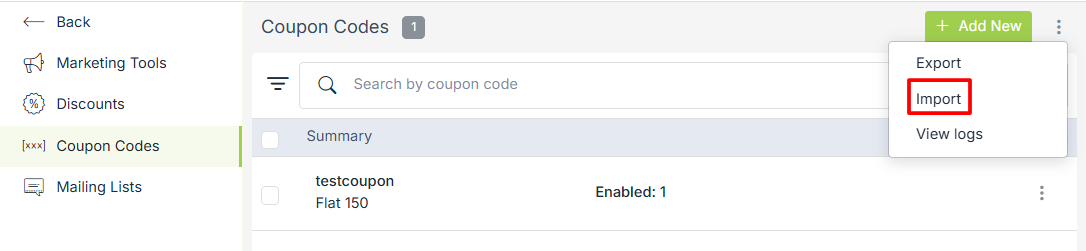
Coupon codes can be added in bulk by using the CSV file. Click on the ellipsis button and select the Import option from the drop-down menu.
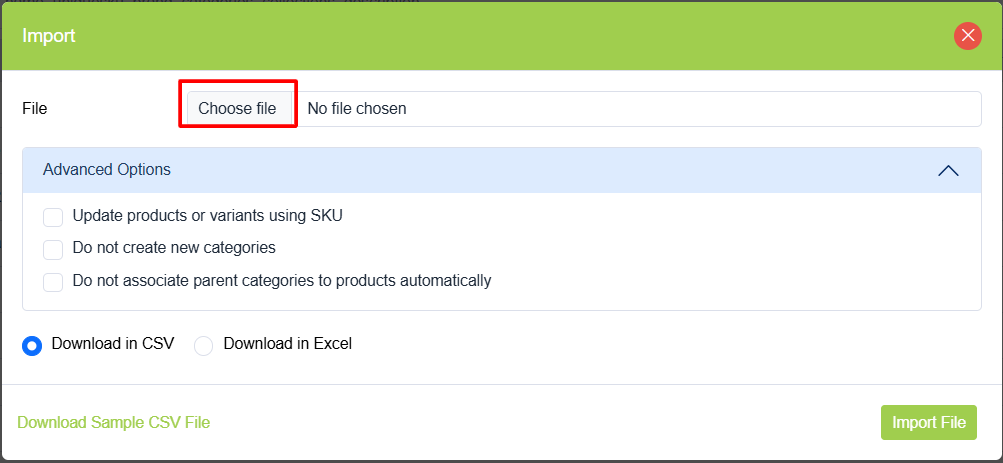
You can create a new CSV file by referring to the sample file or choose the existing CSV file and upload it to add coupon codes.
Exporting coupon codes
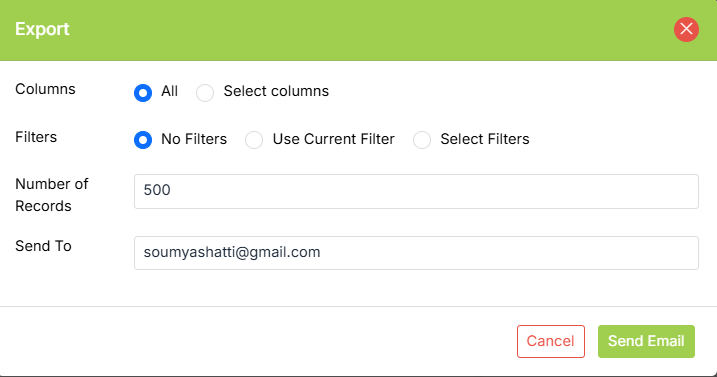
Coupon codes can be exported using the export command in the drop-down option.
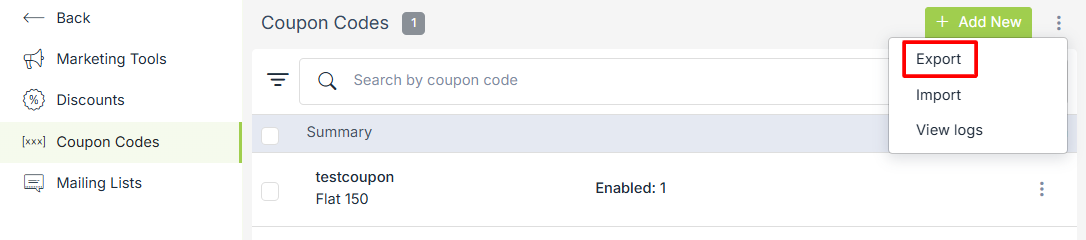
You can select all or some specific columns and add filters to export. The number of coupon codes to be exported can be specified in the Number of records field.