StoreHippo allows you to maintain a track of emails sent or received via Email logs. You can view orders received, order confirmation, notification emails, etc. in the email logs.
Go to the Logs > Email logs section in the StoreHippo Admin Panel to view the email logs.
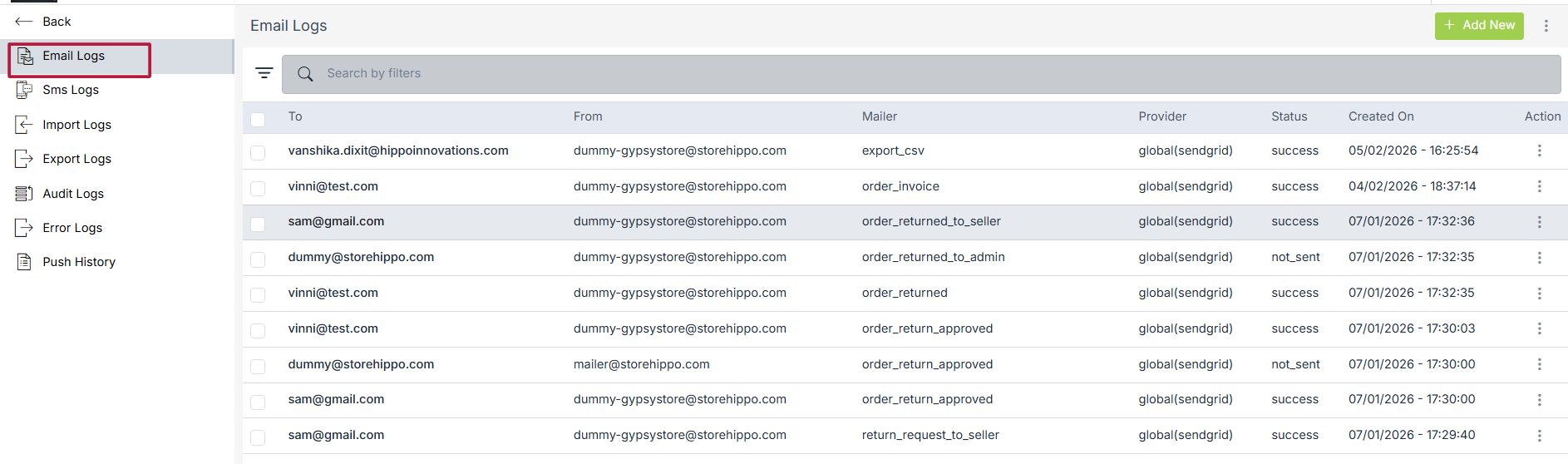
Details in Email Log
Following is the summary of a sample email log record:

To: The email address of the receiver.
From: The email address of the sender.
Mailer: The column shows the mailer detail.
Provider:
Status:
Created on: The date on which the log record was created.
Actions: The Actions column contains the list of the actions that can be performed on the email log record.
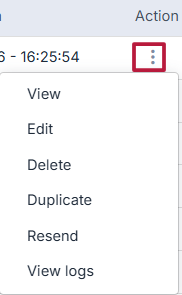
Summary
The summary tab shows a more detailed view that has more fields in addition to the fields explained above.
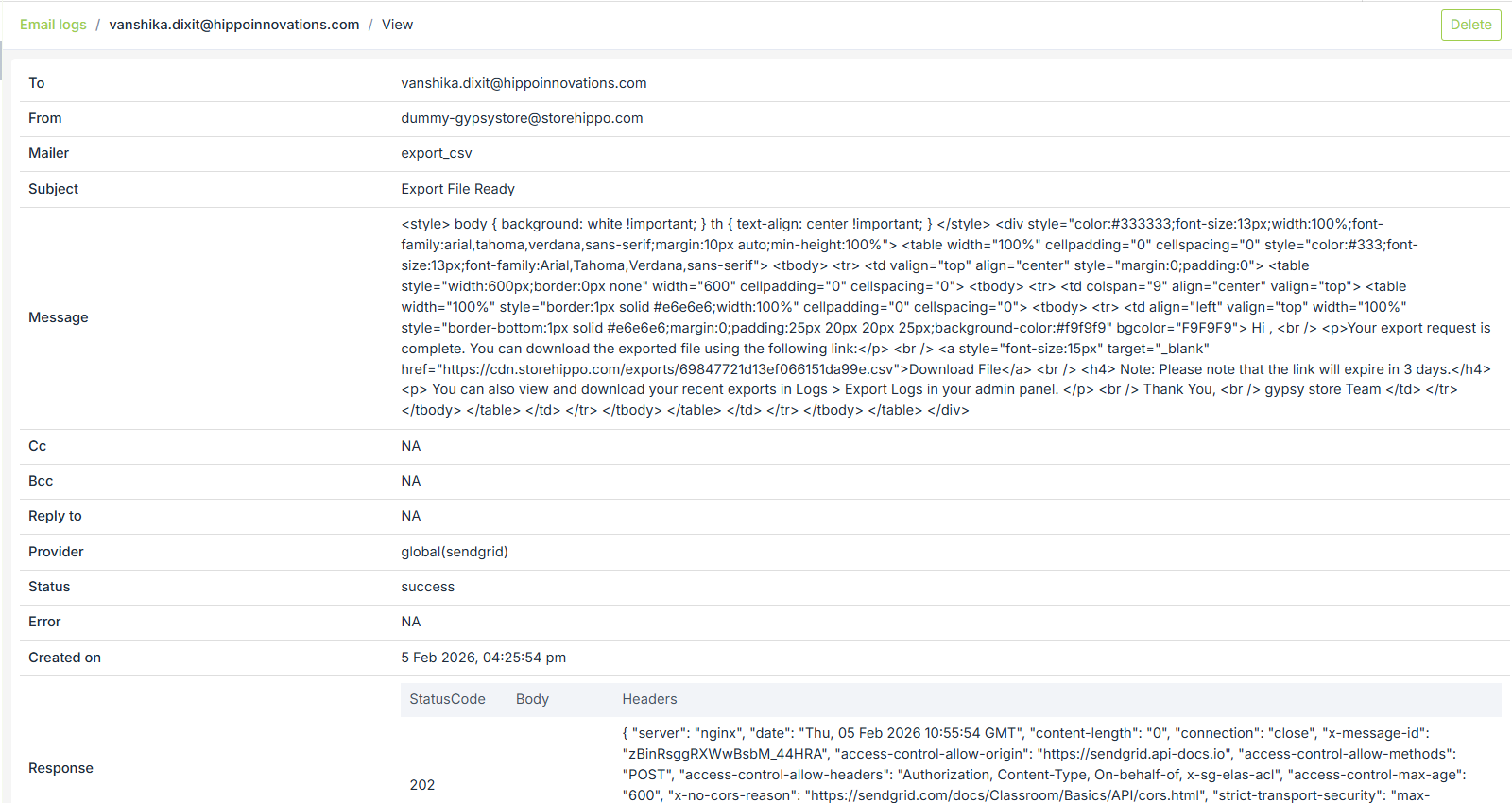
Key Details in the Log
-
To: The email address of the receiver.
-
From: The email address of the sender.
-
Mailer: Displays the mailer name used for the notification (e.g., order_approval, seller_approved).
-
Subject: Shows the subject line of the email notification.
-
Message: Displays the content/body of the email that was sent.
-
Cc: Shows any additional recipients who were copied on the email.
-
Bcc: Shows recipients who received a hidden copy of the email.
-
Reply To: Indicates the email address where replies to this message will be directed.
-
Provider: Displays the email service provider used to send the email (e.g., SendGrid).
-
Status: Shows whether the email was sent successfully or failed.
-
Error: Displays any error message if the email delivery failed.
-
Created On: Shows the date and time when the email was generated or sent.
-
Response: Displays the response code or message returned by the email provider confirming the delivery status.
