
Service Workers
StoreHippo allows you to add external service workers. Some third-party applications, such as Push Notification Apps require you to install their service worker files at the root directory. To achieve that, you can specify the service worker URLs which are imported by the default StoreHippo Servicer Worker.
Adding Service Worker URL
To add the service worker URL, follow the steps given below:
- Go to Settings > Service Workers section in the StoreHippo Admin Panel.
- Click the Add New button to add a new service worker URL.

- Clicking on the Add New button will open a new form.
- Enter the details as shown in the image below.
- Click the Save button to apply the changes.
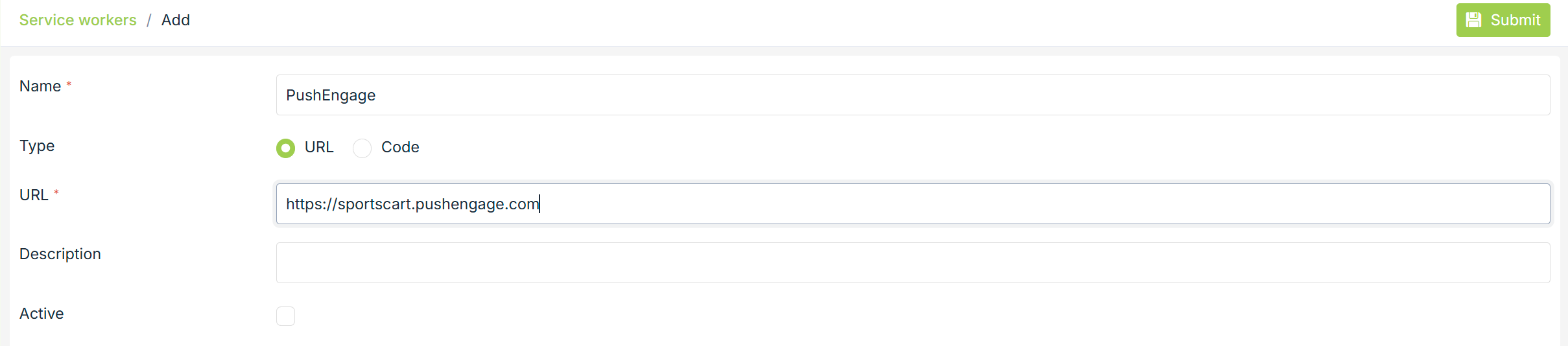
Name
Enter the name of the service worker.
URL
In this field, provide the service worker URL.
Description
Enter the short description of the service worker.
Active
Select this checkbox to activate the service worker URL.
Related Topics
Was this page helpful?