
Substore Managers
The Substore Managers section contains the list of users who are responsible for managing specific substores within your StoreHippo setup. Substore Managers are given access only to the substores assigned to them, allowing controlled and location-based management.
You can add, view, and manage substore managers from this section.
Go to Seller Settings → Substore Managers in the StoreHippo Admin Panel to manage substore managers.
Substore Manager Details
Clicking on a substore manager opens their detailed view, where all related information and assigned substores can be managed.
User Information
This section displays the basic details of the substore manager such as first name, last name, email, password, phone number, date of birth, and gender. These details are used for login and identification purposes.
Substores
The Substores field shows the list of substores assigned to the manager. A substore manager can access and manage only the substores selected here. Multiple substores can be assigned to a single manager if required.
Adding a Substore Manager
Substore Managers can be added from the Substore Managers section by clicking on Add New. A form appears where user details such as name, email, password, phone number, and other personal information can be entered.
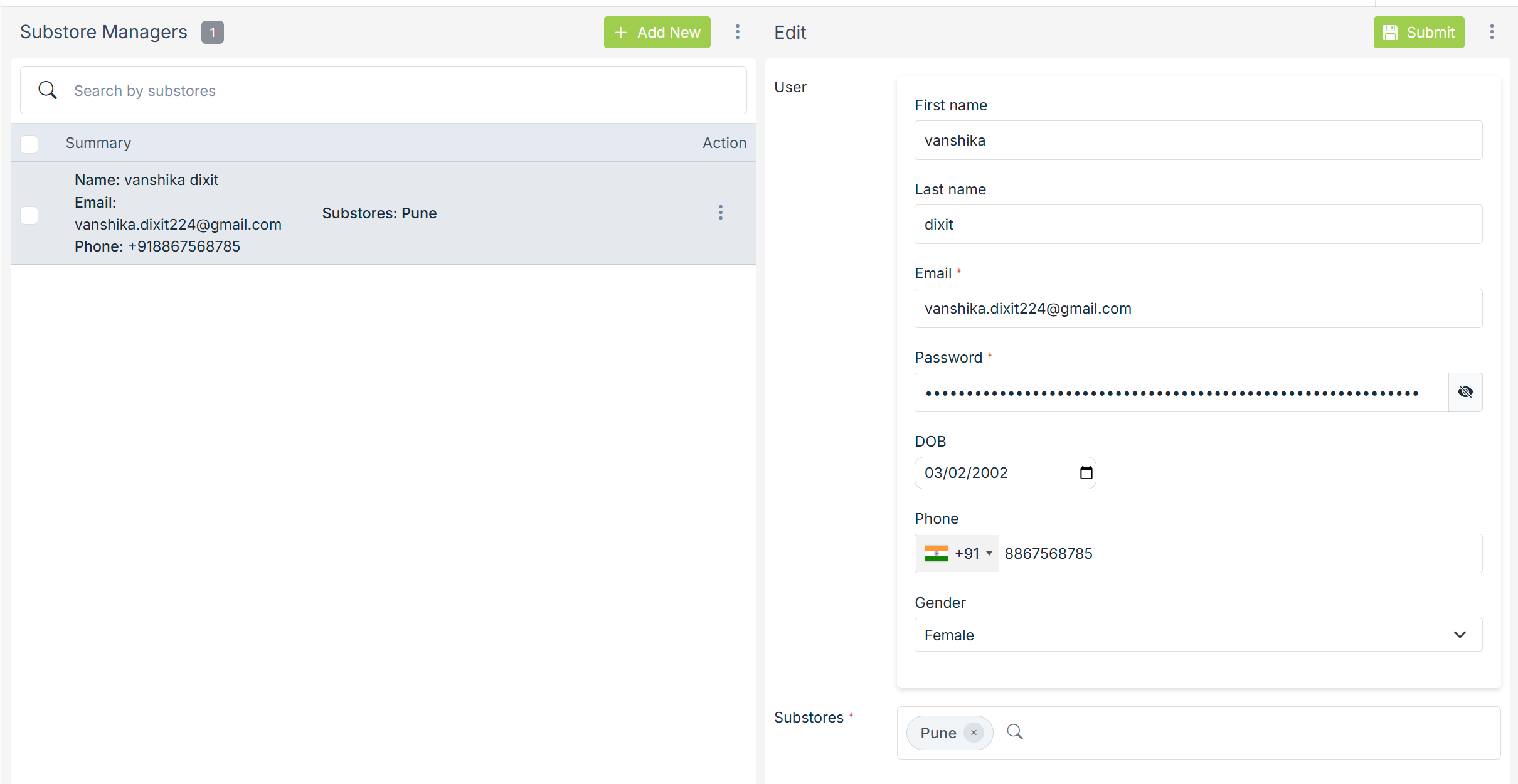
After entering the user details, one or more substores must be assigned to the manager. This determines which substores the user will be able to access and manage from the admin panel.
Once the details are submitted, the substore manager is added and can log in to manage the assigned substores.
Managing Substore Managers
All added substore managers are listed on the Substore Managers page. You can search managers by substore name to quickly find relevant users. Existing substore managers can be edited to update user information or change substore assignments as needed.
Managers can also be removed if they no longer require access.