
Transactions (Store ledger)
You can view all transactions made between your store account and StoreHippo like subscriptions, SMS charges, shippo charges, etc in Transactions section. You can filter the transactions on the basis of service against which it was credited or debited and may also export the data for your reference.
Go to Plans and Billings > Transactions section in StoreHippo Admin Panel.
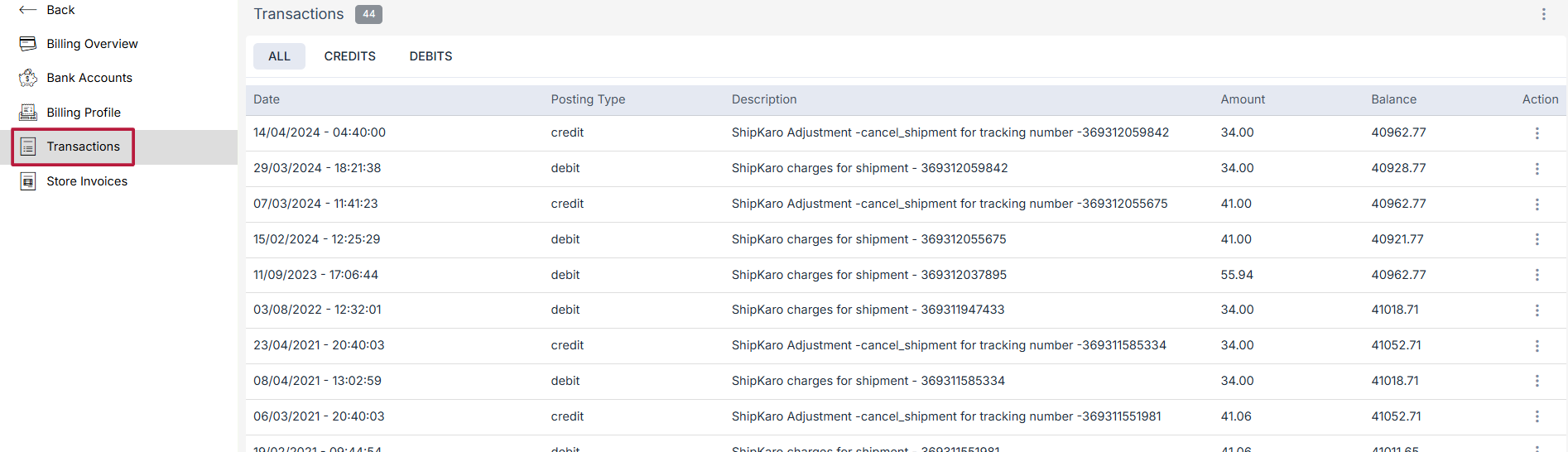
The transactions are shown
All transactions
In the All Transactions tab, all the transactions are present with the complete list of credit and debit entries for all the actions performed by the admin.
Credit
In the Credit tab, only the credit transactions are listed.
Debit
In the Debit tab, only the debit transactions are listed.
Account Balance
The account balance is the total balance of the store.
Was this page helpful?