
Cancel The Shipment
Once the pickup for an order is generated an automated mail is sent to the shipping provider to arrange the shipment, in the case of order cancellation or any other circumstance you may need to cancel the shipment. To cancel a shipment:
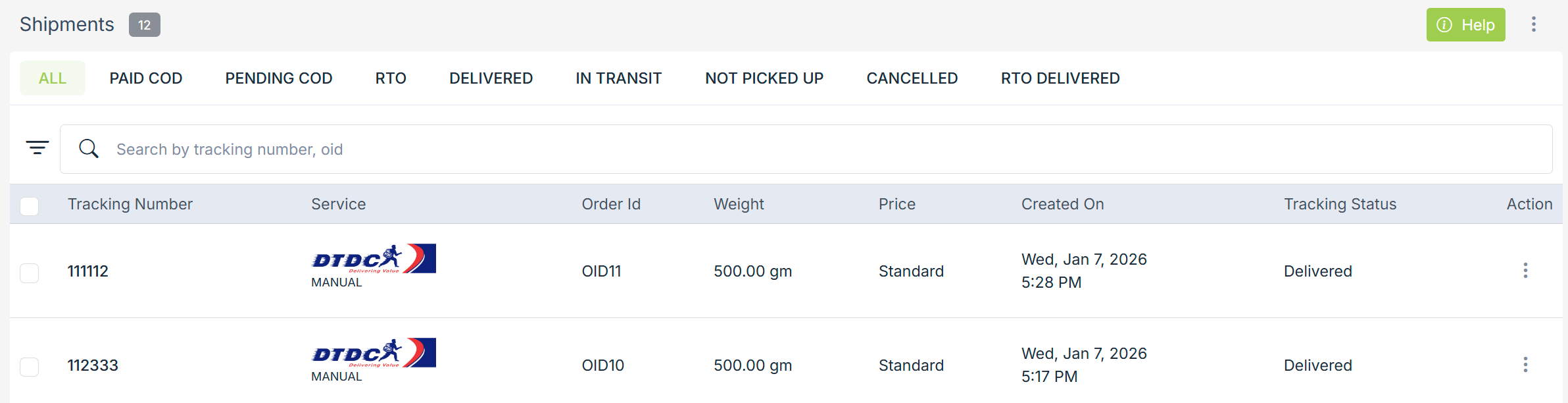
- Go to Orders > Shipments section in StoreHippo Admin Panel.
- Search the shipment to be cancelled either by its order Id or by the tracking number. Click on vertical ellipsis button to open the options window.
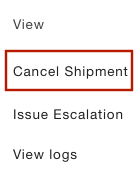
- Click on cancel shipment.
Shipment can be cancelled if the shipment is not picked up or