
How to reset a user's password?
As an admin, you have access to the user's information. You can add and edit the user details. Admin might require to reset the password if users forget their passwords or request for a new one.
Follow the below steps to reset a user's password:
- Go to Users > Users section in the StoreHippo Admin Panel.
- You will see the list of users.
- Search and select the user for which you want to edit the details.
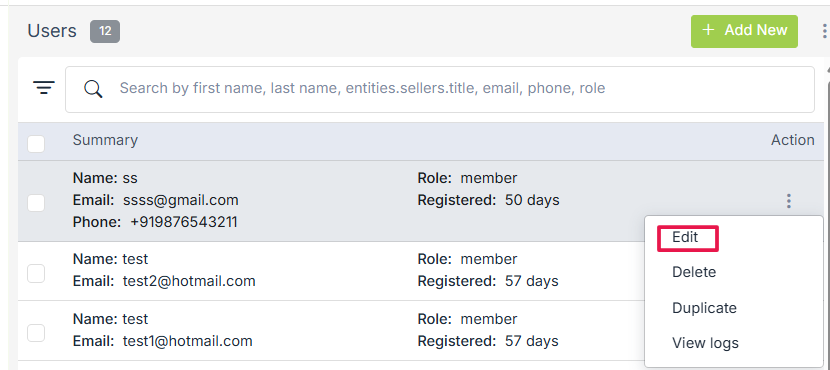
- Click on the ellipsis button against the user and select Edit command from the drop-down.
- When you choose to edit a user, the edit form opens up.
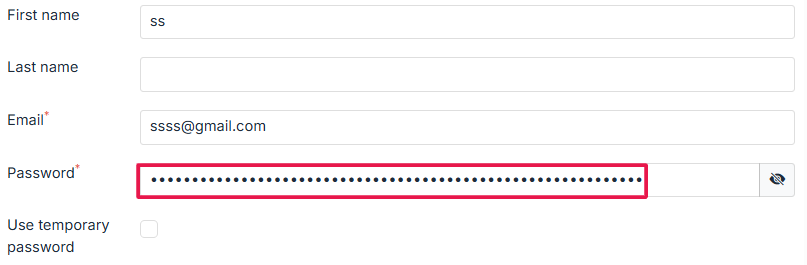
- Find the Password field and enter the new password there.
- Click on Save to store the changes.
- The password for the user is now reset.
Was this page helpful?